Crafting Unique Moodboards for Your Design Projects
Creating a moodboard is like painting a picture with ideas. It is a visual tool that helps you gather inspiration and set the tone for your design projects. Whether you are working on a new branding initiative, planning an interior space, or designing a website, a moodboard can be your best friend.
In this post, we will explore how to craft unique moodboards that reflect your vision and style. We will cover the purpose of moodboards, the tools you can use, and tips for making them truly stand out. Let’s dive in!
What is a Moodboard?
A moodboard is a collection of images, colors, textures, and typography that convey a specific feeling or concept. It serves as a visual reference for your project.
Moodboards can be physical or digital. They help you visualize your ideas and communicate them to others.
Why Use a Moodboard?
Clarifies Your Vision: A moodboard helps you define what you want to achieve. It allows you to see your ideas in one place.
Inspires Creativity: By gathering various elements, you can spark new ideas and explore different directions.
Communicates Effectively: Sharing a moodboard with clients or team members makes it easier to explain your vision.
Types of Moodboards
There are several types of moodboards you can create, depending on your project needs. Here are a few common types:
1. Color Moodboards
These focus primarily on color palettes. You can use swatches or images that highlight the colors you want to incorporate.
2. Style Moodboards
Style moodboards showcase specific design styles or themes. For example, you might create a board that reflects a vintage aesthetic or a modern minimalist look.
3. Concept Moodboards
These boards combine various elements to convey a broader concept. They might include images, textures, and typography that represent a specific idea or feeling.
Tools for Creating Moodboards
Creating a moodboard has never been easier, thanks to various tools available today. Here are some popular options:
1. Pinterest
Pinterest is a fantastic platform for gathering inspiration. You can create boards and pin images that resonate with your project.
2. Canva
Canva offers templates for moodboards. You can easily drag and drop images, add text, and customize your design.
3. Adobe Spark
Adobe Spark is another great tool for creating moodboards. It allows for more advanced design options and is perfect for those familiar with Adobe products.
4. Physical Moodboards
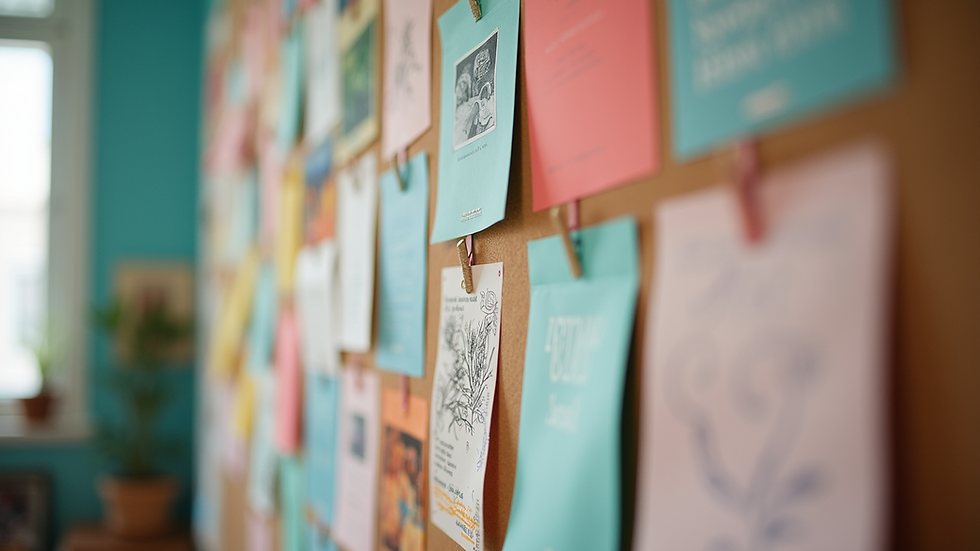
If you prefer a hands-on approach, you can create a physical moodboard. Gather magazines, fabric swatches, and other materials. Use a corkboard or poster board to arrange your items.
Steps to Create a Unique Moodboard
Now that you know what a moodboard is and the tools you can use, let’s go through the steps to create one.
Step 1: Define Your Purpose
Before you start gathering images, think about the purpose of your moodboard. What project are you working on? What feeling do you want to convey?
Step 2: Gather Inspiration
Collect images, colors, and textures that inspire you. Use websites like Pinterest, Unsplash, or even your own photographs.
Step 3: Choose a Layout
Decide how you want to arrange your elements. You can go for a grid layout, a freeform style, or a more structured approach.
Step 4: Create Your Moodboard
Using your chosen tool, start placing your images and elements on the board. Experiment with different arrangements until you find one that feels right.
Step 5: Refine and Edit
Once you have a draft, take a step back. Look for areas that need improvement. Remove elements that don’t fit and add new ones if necessary.
Step 6: Share and Get Feedback
Share your moodboard with others. Get feedback from colleagues or friends. This can help you refine your ideas further.
Tips for Crafting Unique Moodboards
Creating a unique moodboard requires creativity and thoughtfulness. Here are some tips to help you stand out:
1. Be Selective
Choose only the elements that truly resonate with your vision. Too many images can make your moodboard feel cluttered.
2. Use High-Quality Images
Make sure the images you use are high quality. Blurry or pixelated images can detract from your overall design.
3. Experiment with Textures
Incorporate different textures to add depth to your moodboard. This can include fabric swatches, paper types, or even natural elements like leaves.
4. Keep It Cohesive
Ensure that all elements work well together. A cohesive moodboard will communicate your vision more effectively.
5. Stay True to Your Style
Your moodboard should reflect your personal style. Don’t be afraid to let your personality shine through.
Example of a Moodboard
To illustrate the process, let’s consider an example. Imagine you are designing a cozy coffee shop.
Define Your Purpose: You want to create a warm and inviting atmosphere.
Gather Inspiration: Look for images of coffee shops, warm color palettes, and cozy furniture.
Choose a Layout: Opt for a grid layout to keep things organized.
Create Your Moodboard: Use Canva to arrange your images, focusing on warm browns, soft lighting, and comfortable seating.
Refine and Edit: Remove any images that don’t fit the cozy theme and add a few more that do.
Share and Get Feedback: Show your moodboard to friends or colleagues for their thoughts.
The Power of Moodboards in Design
Moodboards are more than just pretty pictures. They are powerful tools that can guide your design process.
By using moodboards, you can:
Stay Focused: They help you keep your project on track and aligned with your vision.
Inspire Collaboration: Sharing moodboards can foster collaboration and creativity among team members.
Enhance Communication: They serve as a visual language that can bridge gaps in understanding.
Final Thoughts
Crafting unique moodboards is an enjoyable and rewarding process. They allow you to express your creativity and clarify your vision.
Whether you are a seasoned designer or just starting, moodboards can enhance your projects. So, gather your inspiration, choose your tools, and start creating.
Remember, the best moodboards are those that reflect your unique style and vision. Happy designing!


Comments